
Category: Electronics

  • Dash cams: how to choose the right one (2026 guide)

    Dash cams: how to choose the right one (2026 guide)

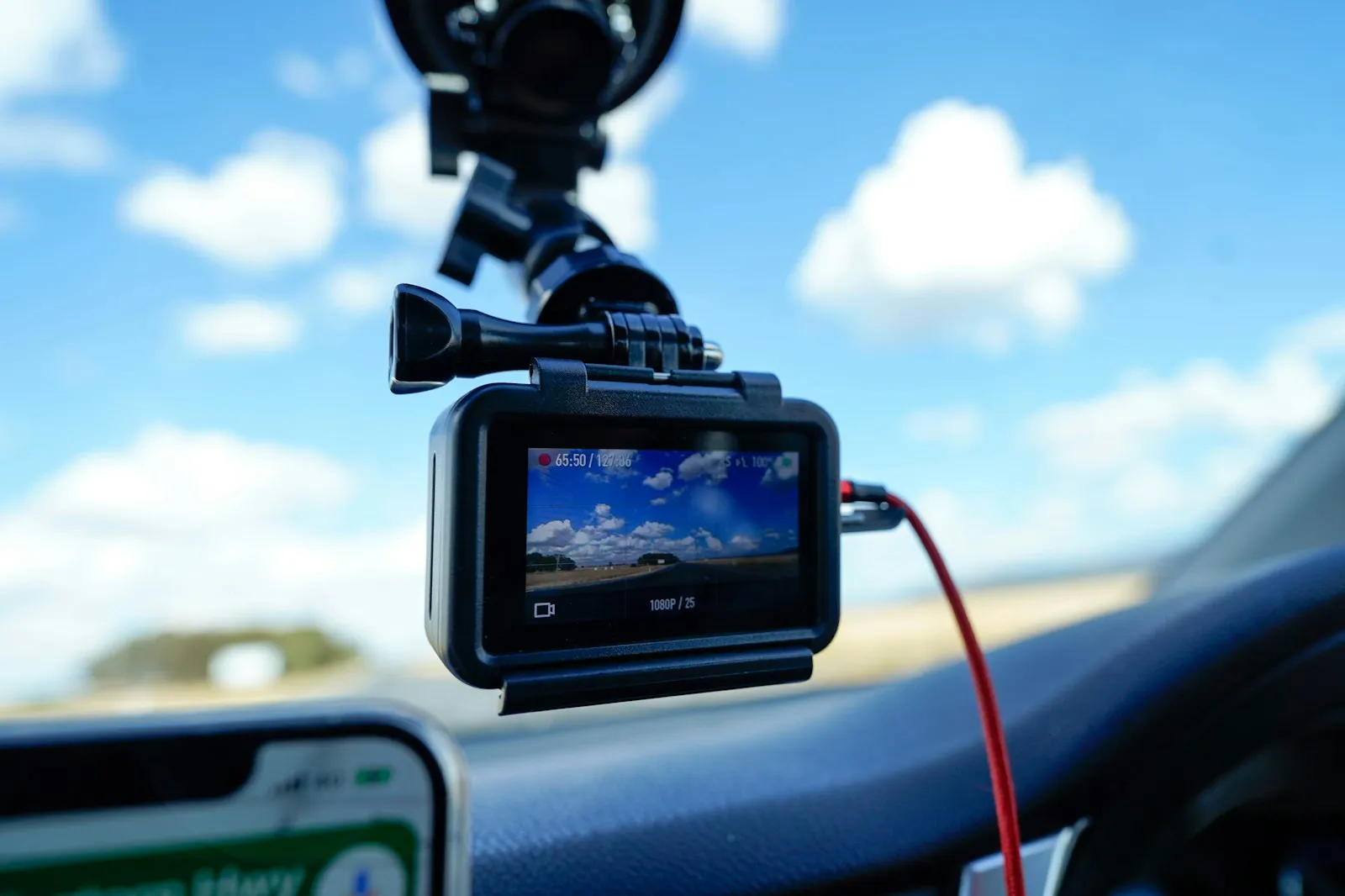
    The right dash cam depends on 4 things: how many cameras you need, night video quality, parking mode and heat tolerance. Decide the camera count first, then match the other 3 to where you drive and park.

    A dash cam is a small camera that records the road while you drive, so you have video if something happens. This guide explains each factor and compares 6 current models using only their manufacturers’ published specifications.

    Compare the dash cams

    Model Channels Max front resolution Front field of view Power backup Operating temp. Suits
    Garmin Dash Cam X210 Front (syncs up to 4 cameras) 1440P 140° (diagonal) Lithium-ion battery -4 to 140°F (-20 to 60°C) Compact front camera with voice control
    Nextbase 622GW Front, optional rear or cabin module 4K at 30fps 140° not stated not stated Front camera you can expand with rear or cabin modules
    VIOFO A229 Pro 3CH Front, rear, interior 4K at 30fps 140° Supercapacitor -4 to 149°F (-20 to 65°C) Ride-share and fleet drivers who need cabin video
    BlackVue DR970X-2CH Plus II Front, rear 4K at 30fps 146° (diagonal) Supercapacitor -4 to 158°F (-20 to 70°C) Hot climates (highest listed operating limit here) and cloud-connected setups
    THINKWARE U3000 not stated 4K at 30fps 152° (diagonal) Supercapacitor 14 to 140°F (-10 to 60°C) Long parking surveillance with radar
    70mai Dash Cam 4K A810 Front, rear (dual-channel) 3840×2160 150° 500mAh battery not stated Front and rear coverage with a 3.0-inch screen

    How to choose a dash cam

    How many cameras do you need?

    A front-only camera covers the most common incidents and is the simplest to fit. A front and rear setup adds a second camera on the rear window. It helps with rear-end collisions and tailgating.

    A 3-channel system adds an interior camera that films the cabin. This mainly matters if you carry passengers for work. More cameras mean more cables and more storage, and rear-camera kits generally cost more than front-only units.

    What affects video quality at night?

    Higher resolution can make license plates and road signs easier to read. Resolution alone does not decide quality, though. The image sensor, lens aperture and HDR processing all affect footage, especially at night.

    Several models here list a Sony STARVIS 2 sensor, which their makers promote for low-light sensitivity. A wider aperture (a lower f-number) lets in more light. Higher resolution also means larger files.

    How wide should the view be?

    A wider lens captures more of the road edges and neighboring lanes. Very wide lenses can distort distant objects. The front cameras compared here range from 140° to 152°.

    Do you need GPS?

    Built-in GPS stamps your footage with location and speed. This helps show where and how fast you were driving. Every model compared here lists GPS.

    How to record while parked

    Parking mode keeps the camera watching while the car is parked. It saves clips when it detects an impact or motion.

    For long periods, most dash cams need constant power. This usually comes from a hardwire kit connected to the fuse box or an OBD-II power cable. These are often sold separately, so check what is in the box. Many hardwire kits include a low-voltage cut-off, which helps protect the car battery.

    Which microSD card to use

    Dash cams record in a continuous loop. When the card is full, the camera overwrites the oldest files that are not locked. It locks clips saved after an impact, so they stay on the card.

    A dash cam writes video constantly, so choose a high-endurance microSD card made for continuous recording. Match the capacity and speed class the manufacturer recommends. Format the card in the camera from time to time to help prevent file errors.

    How to get clips onto your phone

    Most current dash cams connect to a phone app over Wi-Fi. You can then download clips without removing the card. Cloud features such as remote live view or alerts can require a subscription, a mobile hotspot or an LTE add-on.

    Which handles heat better: supercapacitor or battery?

    A parked car can get very hot. Many dash cams use a supercapacitor instead of a lithium-ion battery. Supercapacitors are generally considered more tolerant of high temperatures. A battery, on the other hand, can keep the camera running briefly after the power goes off.

    If you live somewhere hot, compare the listed operating temperature ranges.

    How to power and mount a dash cam

    Most dash cams plug into a 12V socket or USB port. If you also charge phones on the road, see the car charger buying guide to plan your power outlets.

    Mount the camera behind the rear-view mirror, where it does not block your view. Keep the windshield clean so the lens does not film through smears.

    Check the law and privacy rules

    Rules on dash cams vary by country and sometimes by region. They can cover where you may mount a camera on the windshield and whether you may record audio or passengers. They can also cover how you share footage that shows other people or license plates. Check the local rules where you drive before you install a camera or share footage.

    What each model offers

    Garmin Dash Cam X210

    The X210 is a compact front camera that records up to 1440P, with a 140-degree diagonal field of view. Its manual lists 3 resolution options: 1440p at 30fps with HDR, 1080p at 60fps, and 1080p at 30fps with HDR. It has voice control, a built-in Clarity polarizer to cut windshield glare, and a 2.41-inch display. GPS adds speed and location data to the video.

    It uses a rechargeable lithium-ion battery. It takes microSD cards from 8 GB up to 512 GB (Class 10 or faster, not included). Parking Guard and Live View need the Garmin Drive app and a Vault subscription. Parking Guard also needs constant power, which in some vehicles means the Constant Power Cable, sold separately.

    It suits drivers who want a small, discreet front camera.

    Check the current price on the manufacturer’s site or your usual retailer.

    Nextbase 622GW

    The 622GW records 4K at 30fps, 1440 at 60fps or 1080p at 120fps. It uses a 6-layer f1.3 lens with a 140-degree viewing angle. Nextbase lists image stabilization, a built-in polarizing filter and Enhanced Night Mode. It also lists 10Hz GPS, QuickLink Wi-Fi, Bluetooth 5.0, what3words location and voice control on a 3-inch touch screen.

    Emergency SOS can alert emergency services if the driver is unresponsive after an incident. Optional modules add a rear window, rear-view or cabin camera. The front keeps recording in 4K while the rear module records 1080p. Intelligent Parking Mode starts after 5 minutes stationary or when the ignition is off.

    It comes with a 12-month warranty. It suits drivers who want to start front-only and add coverage later.

    Check the current price on the manufacturer’s site or your usual retailer.

    VIOFO A229 Pro 3CH

    This 3-channel system records front 4K, rear 2K and interior 1080P, all at 30fps. VIOFO lists Sony STARVIS 2 sensors for the front and rear cameras. The infrared interior camera uses a STARVIS sensor. Fields of view are 140° front, 160° rear and 150° interior.

    It has dual-band Wi-Fi, built-in GPS, Bluetooth and voice control, and supports buffered parking mode. VIOFO lists the HK4 hardwire kit as an optional accessory. It takes microSD cards up to 512GB and uses a supercapacitor. VIOFO lists an operating range of -4 to 149°F (-20 to 65°C).

    With cabin recording built in, it suits ride-share and fleet drivers.

    Check the current price on the manufacturer’s site or your usual retailer.

    BlackVue DR970X-2CH Plus II

    This 2-channel model records 4K front and Full HD rear video at 30fps. The front camera uses a STARVIS 2 sensor of about 8.4 megapixels with a 146° diagonal view. The rear camera uses a STARVIS sensor of about 2.1 megapixels with a 131° view.

    It has built-in Wi-Fi and dual-band GPS. BlackVue lists parking mode with battery discharge prevention and BlackVue Cloud compatibility. It accepts microSD cards from 64 GB to 512 GB.

    It has a built-in supercapacitor and an operating range of -4 to 158°F (-20 to 70°C). A high-temperature cut-off acts at about 167°F (75°C). Its upper limit is the highest listed in this comparison, so it suits drivers in hot climates.

    Check the current price on the manufacturer’s site or your usual retailer.

    THINKWARE U3000

    The U3000 records 4K UHD at 30fps or 2K QHD at 60fps using an 8.4MP Sony STARVIS 2 sensor. It has a 152° diagonal front viewing angle and Super Night Vision 4.0.

    Its main distinguishing feature is built-in front and rear radar. In Radar Parking Mode, the camera rests in a low-power state. It records a 20-second clip when it detects movement.

    Other parking modes include Smart, Motion & Impact, Time Lapse and Energy Saving. All of them need a hardwiring cable or OBD-II power cable.

    It has built-in GPS, Bluetooth, dual-band Wi-Fi and a supercapacitor. It supports microSD cards up to 256 GB. It suits drivers who park for long periods and want parking coverage from a low-power standby mode.

    Check the current price on the manufacturer’s site or your usual retailer.

    70mai Dash Cam 4K A810

    The A810 records 3840×2160 at the front with a Sony STARVIS 2 IMX678 sensor. The front lens has an F1.8 aperture and a 150° field of view. The rear camera records 1080P HDR. 70mai lists frame rates of 60, 30 and 25FPS, a 3.0-inch IPS screen, built-in GPS and Wi-Fi to the 70mai App.

    ADAS alerts cover lane departure, front collision, pedestrians and moving traffic. Power backup is a 500mAh battery. Smart Parking Guardian Mode needs the 70mai UP03 hardwire kit, sold separately. Optional 4G connectivity needs the UP04 kit, available in some countries.

    It suits drivers who want front and rear coverage with a 3.0-inch screen and driver alerts.

    Check the current price on the manufacturer’s site or your usual retailer.

    Frequently asked questions

    Do you need a rear dash cam?

    Not always. A front camera covers most incidents. A rear camera adds evidence for rear-end collisions.

    Will a dash cam drain your car battery?

    While you drive, the camera runs on power from the car. For parking mode, use a hardwire kit or cable with a low-voltage cut-off to help protect the battery.

    What size microSD card do you need?

    It depends on resolution, the number of channels and how much footage you want to keep. Check your camera’s maximum supported capacity and choose a high-endurance card.

    Is 4K necessary?

    No. 4K can capture more detail, but sensor quality, HDR and the lens matter as much for night footage. A good 1440p camera can be enough for many drivers.

    Are dash cams legal?

    In many places, yes. Rules on mounting position, audio recording and sharing footage differ between countries. Check the local rules before you install one.

    Related guides

    Sources

    • https://www.garmin.com/en-US/p/1033231/
    • https://www8.garmin.com/manuals/webhelp/GUID-AA217031-2399-427F-9108-A3A429839BFE/EN-US/GUID-1C6EAA03-B48B-42AF-811A-9B6C15799E23.html
    • https://www8.garmin.com/manuals/webhelp/GUID-AA217031-2399-427F-9108-A3A429839BFE/EN-US/GUID-6D337615-A4B0-4A2E-A6A5-7F0DC1FCD1E2.html
    • https://www.garmin.com/en-US/newsroom/press-release/automotive/capture-detailed-eyewitness-video-with-the-new-garmin-dash-cam-x-series/
    • https://nextbase.eu/dash-cams/622gw-dash-cam/
    • https://www.viofo.com/products/viofo-a229-pro-3ch-4k-2k-1080p-hdr-3-channels-car-dash-camera-with-sony-starvis-2-sensors-for-lyft-taxi-ridesharing-drivers
    • https://manual.blackvue.com/docs/dr970x-2ch-lte-plus-ii/technical-specifications/product-specification
    • https://direct.blackvue.com/products/blackvue-dr970x-2ch-plus-ii-dash-cam
    • https://thinkware.com/global/product/u3000
    • https://www.70mai.com/us/a810/

    Specifications are taken from each manufacturer’s website as of October 2026 and can change. Check the manufacturer’s page before you buy.
  • Car phone mounts: how to choose the right one (2026 guide)

    Car phone mounts: how to choose the right one (2026 guide)

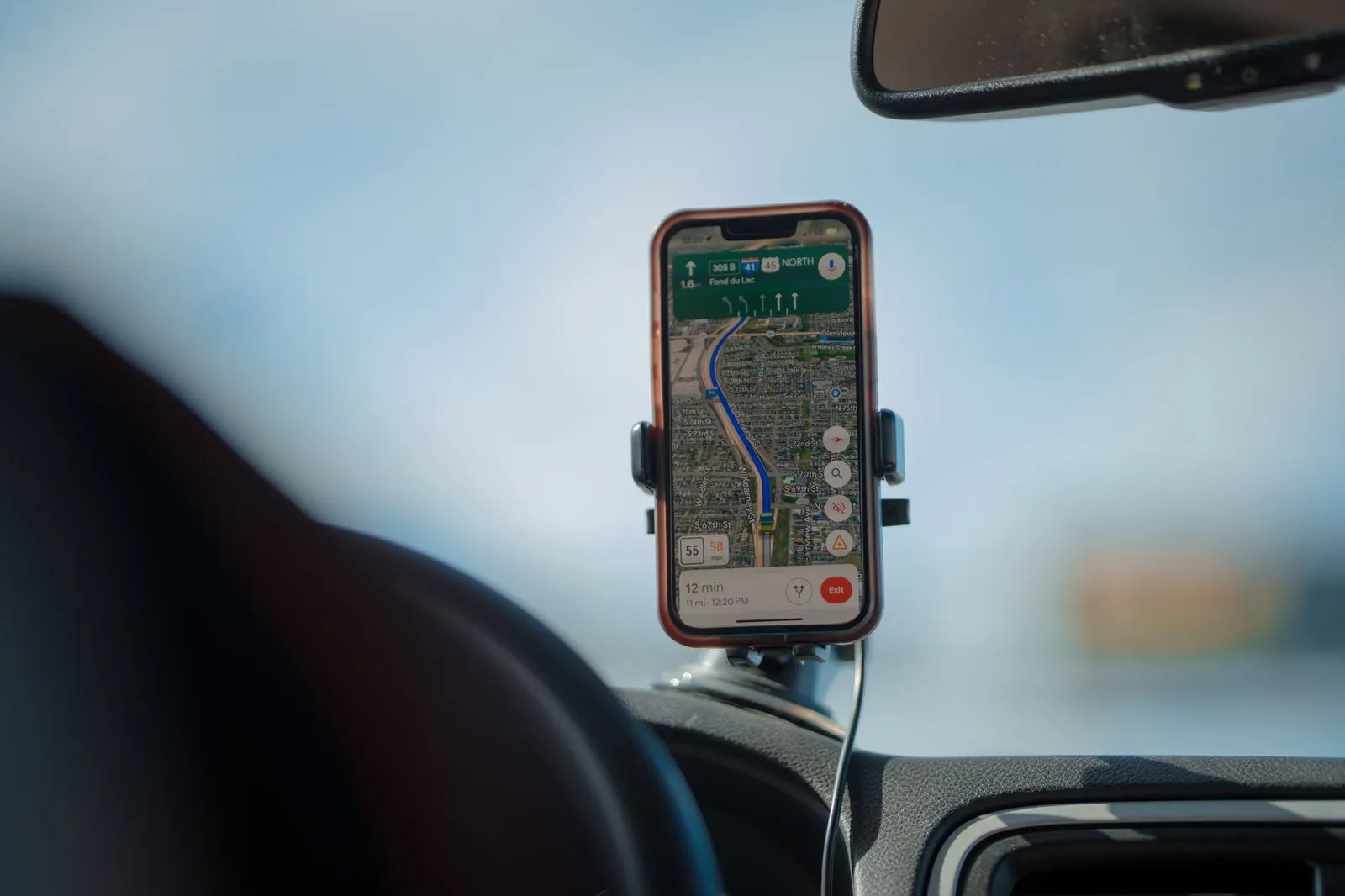
    The right car phone mount fits your car’s interior and holds your phone and case securely. It also keeps the screen within a quick glance without blocking your view of the road.

    Choose the mounting point first: vent, dashboard, windshield or cup holder. Then decide between a plain holder and a charging mount. This guide explains the trade-offs and covers 7 current models from established brands.

    Compare the mounts

    Model Mount point Wireless charging How it holds the phone Power in the box Suits
    iOttie Velox Pro Qi2.2 Dash or windshield (suction) Up to 25W (Qi2.2) Magnetic 45W USB-C car charger + cable Recent Pixel and iPhone owners who want fast charging up front
    iOttie Easy One Touch 6 Dash & Windshield Dash or windshield (suction) None Clamp cradle not stated Phones without magnets, including larger phone and case combinations
    Belkin BoostCharge Magnetic Wireless Charging Car Vent Mount Air vent 15W (Qi2-compatible devices) Magnetic 27W car adapter + cable Qi2 phone owners who want a simple charging vent mount
    Anker Prime Wireless Car Charger (MagGo, AirCool, Pad) Air vent (clamp) Up to 25W (Qi2 25W) Magnetic 60W dual-port car adapter + cable Drivers who want active cooling (thermoelectric plus fan) while charging
    Peak Design Car Vent Mount Air vent (two-point) 15W Qi2 version or non-charging Magnetic (SlimLink) not stated Peak Design case users and rough roads
    Scosche MagicMount MS Dash/Vent Dash (adhesive) or vent not stated Magnetic not stated A simple magnetic holder for dash or vent
    Scosche MagicMount Pro2 Cup Cup holder None Magnetic not stated Cars where vents and dash are not an option

    How to choose a car phone mount

    Choose where the mount goes

    Air vent mounts clip onto the vent slats. In many cars they sit close to eye level, install in seconds and leave no marks.

    They have downsides. They block part of the airflow, and heavy phones can make thin slats sag. Round, mesh or unusual vents may not work at all, so check the maker’s vent compatibility notes.

    Dashboard and windshield suction mounts use a suction cup, often with an extendable arm that brings the phone closer. They suit cars with awkward vents but need a smooth, flat surface.

    Adhesive dash mounts are small, stable bases stuck to the dashboard. Removing them can leave residue, so choose the spot carefully.

    Cup holder mounts expand to grip a cup holder and raise the phone on a stalk. They leave the dash clear but sit lower, so your eyes move further from the road.

    CD slot mounts use the disc slot that some older cars still have. Many newer cars do not have one.

    Should you pick a magnetic or clamp mount?

    Clamp mounts hold the phone with spring-loaded or motorized arms. They work with almost any phone and most cases.

    Magnetic mounts are quicker to use: you bring the phone close and it snaps on. Recent iPhones and phones with Qi2 magnets attach directly. Other phones need a magnetic case, or a metal plate or ring stuck to the back.

    What to check for wireless charging

    Magnetic charging mounts follow the MagSafe idea. Magnets line up the phone’s charging coil with the mount’s coil, which helps charging efficiency. Qi2 is the open standard built on that approach. Newer versions support higher wattages on compatible phones.

    Things to check:

    • Phone compatibility. The maximum wattage often depends on the phone model, not just the mount.
    • Power source. Many charging mounts include a car adapter. If yours does not, the car charger buying guide explains what to look for.
    • Case thickness. Most magnetic chargers only work through thin cases.

    How heat affects the phone and the mount

    Phones get hot on a sunny dashboard. A vent mount with the heater on also blows warm air onto the back of the phone. Heat can slow or pause wireless charging, which is why some mounts add active cooling.

    Suction cups can lose grip in strong heat, so re-seat them from time to time.

    Where to place the mount

    Place the mount where the phone does not block your view of the road. Keep it clear of airbag deployment zones and warning lights. The further your eyes travel from the road, the longer each glance takes.

    Rules on where a phone may be mounted, and how drivers may use it, differ between countries and regions. Check your local rules before you choose a spot.

    If you also run a dash camera, plan both positions together. The dash cam buying guide covers windshield placement.

    Check that it works with one hand

    You should be able to attach and remove the phone with one hand without looking. Magnetic mounts make this easy. With clamp mounts, look for a release button, or a trigger that closes the arms when you press the phone in.

    What each mount offers

    iOttie Velox Pro Qi2.2

    The Velox Pro is a dash and windshield mount with wireless charging up to 25W. iOttie lists it as certified Made for Google and optimized for Pixel devices. It also lists compatibility with Qi2.2-enabled phones, naming the iPhone 17 series and supported Android models.

    CryoFlow cooling starts when a phone is mounted. A telescopic arm with a ball joint handles positioning, and the housing is aluminum with a silicone face. A 45W USB-C car charger and a USB-C to USB-C cable are included. iOttie gives a 2-year warranty.

    It suits recent Pixel and iPhone owners who want fast charging on the dash or windshield rather than the vents.

    Check the current price on the manufacturer’s site or your usual retailer.

    iOttie Easy One Touch 6 Dash & Windshield Mount

    This is a classic clamp-style mount with no charging. You squeeze the release bars to open the cradle. Pressing the phone against a trigger button closes it, so mounting and removing work with one hand.

    A suction cup base fixes it to the dashboard or windshield. The telescopic arm extends from 5–6.75 in (13–17 cm). An adjustable bottom foot accommodates larger phone and case combinations, and the cradle leaves the phone’s USB port accessible. iOttie gives a 2-year warranty.

    It suits phones without magnets and, thanks to the adjustable bottom foot, larger phone and case combinations.

    Check the current price on the manufacturer’s site or your usual retailer.

    Belkin BoostCharge Magnetic Wireless Charging Car Vent Mount

    Belkin’s vent mount supports 15W wireless charging for Qi2-compatible devices. It holds the phone in portrait or landscape. It charges through protective cases up to 0.12 in (3 mm) thick and uses a heat-dissipating aluminum alloy.

    A 27W car adapter and a 3.3 ft (1 m) USB-C to USB-C cable are in the box. Belkin notes that Samsung S25 and Z8 series or newer phones need a magnetic Qi2 or MagSafe compatible case. The warranty is 2 years, plus Belkin’s Connected Equipment Warranty.

    It suits anyone with a Qi2-compatible phone who wants a straightforward charging vent mount.

    Check the current price on the manufacturer’s site or your usual retailer.

    Anker Prime Wireless Car Charger (MagGo, AirCool, Pad)

    Anker’s model A2933 is a Qi2 25W vent mount with a locking adjustable clamp. Its AirCool system uses thermoelectric cooling and a fan to move heat away.

    Anker lists charging speeds for iPhone 12 and later. Some models have lower maximum wattages, for example up to 15W on iPhone 12 to 15. It is not compatible with Tesla or Mercedes-Benz vehicles, or with vehicles without vent blades.

    The box includes a 60W dual-port car adapter, a USB-C to USB-C cable and cable organizers. Given the thermoelectric cooler and fan, it suits drivers who want active cooling while the phone charges.

    Check the current price on the manufacturer’s site or your usual retailer.

    Peak Design Car Vent Mount

    Peak Design’s vent mount is machined from aluminum and attaches to the vent at 2 points for stability. A 360-degree swivel arm moves the phone away from the vent. The SlimLink magnetic system with an anti-slip pad holds the phone in portrait or landscape.

    It comes in a non-charging version and a Qi2 charging version with up to 15W. It needs a Peak Design case or Universal Adapter, and also works with MagSafe phones and cases. Peak Design notes that charging may not work well with the Universal Adapter. It fits many but not all vents.

    It suits people already using Peak Design cases.

    Check the current price on the manufacturer’s site or your usual retailer.

    Scosche MagicMount MS Dash/Vent

    This kit includes a dash mount and a vent mount adapter. The dash mount sticks to the top or front of the dash with automotive-grade adhesive.

    It holds iPhone 12 and later using their MagSafe magnets. Older iPhones and Android phones use the included MagicRing adapter. Scosche says it works with PopSocket and OhSnap grips, so you do not have to remove them before mounting.

    It suits drivers who want a simple magnetic holder with the choice of a dash or vent position.

    Check the current price on the manufacturer’s site or your usual retailer.

    Scosche MagicMount Pro2 Cup

    The Pro2 Cup fits almost any cup holder through an adjustable base. It holds the phone on a magnetic head that rotates 360 degrees.

    Scosche says it uses neodymium magnets that are stronger than its standard MagicMounts. The head holds iPhone 12 and later with MagSafe without needing a metal plate. The box includes 2 MagicPlates for other phones. It is not a charging mount.

    It suits cars with round or fragile vents, textured dashboards, or leased cars where you would rather not use adhesive. The trade-off is a lower viewing position.

    Check the current price on the manufacturer’s site or your usual retailer.

    Frequently asked questions

    Are magnetic mounts safe for phones?

    Mounts made for phones are designed for this, and MagSafe and Qi2 phones have magnets built in. If you stick a metal plate on a non-magnetic phone, keep it clear of the wireless charging coil.

    Will a vent mount work in your car?

    It depends on the vent. Horizontal or vertical slats usually work. Round, mesh, very thin or unusual vents often do not. Check the manufacturer’s compatibility notes, and if in doubt, choose a dash, windshield or cup holder mount.

    Is a wireless charging mount worth it?

    If you use navigation on most drives, a charging mount keeps the battery topped up without fiddling with a cable. For short trips, a plain mount and a cable can be enough and cost less.

    Why does a phone stop charging on the mount?

    Usually because of heat. Phones slow or pause charging when they get too warm. This is common with sun on the dashboard or the heater blowing onto a vent mount. Shade the phone or redirect the vent.

    Where is the safest place to put a phone mount?

    Place it low enough not to block your view of the road, clear of airbags, and close enough to reach without leaning. Check your local rules, which vary by country.

    Related guides

    Sources

    • https://www.iottie.com/product/velox-proqi2-2/
    • https://www.iottie.com/product/easy-one-touch-6-dash-and-windshield-mount/
    • https://www.belkin.com/p/magnetic-wireless-charging-car-vent-mount/WIC010ttBK.html
    • https://www.anker.com/products/a2933-anker-prime-25w-qi2-wireless-car-charger
    • https://www.peakdesign.com/products/car-vent-mount
    • https://scosche.com/products/sms2dv-magsafe-compatible-phone-mount-dash-vent
    • https://scosche.com/products/magicmount-pro2-cup-phone-mount

    Specifications are taken from each manufacturer’s website as of October 2026 and can change. Check the manufacturer’s page before you buy.

  • Car chargers: how to choose the right one (2026 guide)

    Car chargers: how to choose the right one (2026 guide)

    Choose a car charger with at least 1 USB-C Power Delivery (PD) port and enough total wattage for all your devices. Then check that the per-port output matches your most power-hungry device. For phones, a single 20–30W USB-C port is usually plenty. For a laptop, look for a USB-C port rated at 60–100W and a matching cable.

    Compare the chargers

    Model Max total output Ports Max single-port output Notable feature Suits
    Anker Nano Car Charger (167.5W, 3 Ports) 167.5W 2× USB-C, 1× USB-A 100W (USB-C1) 3.3 ft (1 m) USB-C cable in the box Laptop plus phones
    UGREEN 130W USB-C Car Charger 130W 2× USB-C, 1× USB-A 100W (USB-C, PD) PD3.0, QC4.0, PPS; LED display Laptop plus phones, mixed brands
    Anker Nano Car Charger (75W, retractable cable) 75W Built-in retractable USB-C cable, 1× USB-C 45W (cable) Retractable cable Tablet or phone, tidy cabin
    Scosche PowerVolt 85 Reel 85W Retractable USB-C cable, 1× USB-C, 1× USB-A 65W (cable) Cable extends just over 2 ft (0.6 m) Small laptop or tablet plus 2 extras
    Belkin BoostCharge Dual Car Charger 42W 42W 1× USB-C, 1× USB-A 30W (USB-C) USB-C PD 3.0 certified, PPS 2 phones, 1 older cable
    Scosche PowerVolt PD30 30W 1× USB-C 30W Flush-fitting with pull tag A single phone, minimal look

    How to choose a car charger

    Which charging standard does your device use?

    USB Power Delivery (PD) is the main fast-charging standard for USB-C. Phones, tablets and many laptops use it to agree on a voltage and current with the charger. They do this before they draw higher power. If your device charges over USB-C, a PD port is the safest choice.

    PPS (Programmable Power Supply) is part of the PD standard. It lets the charger adjust voltage in small steps. Many recent Android phones, Samsung models in particular, use it for their fastest charging modes. If your phone’s spec sheet mentions PPS or “super fast charging”, choose a charger that lists PPS.

    Quick Charge (QC) is an older Qualcomm standard, mostly used over USB-A. It still helps with older Android phones, but most new devices use PD over USB-C. A charger that lists both covers more devices.

    How to read total and per-port output

    The big number on the box is usually the total output across all ports. For each device, the per-port figure matters more. So does the way the charger shares power when several ports are busy.

    On some chargers, the per-port maximums add up exactly to the total. On others, they add up to more than the total, so not every port can deliver its maximum at once.

    When you plug in a second or third device, the charger may lower the output on the other ports. It may also pause charging for a moment while it redistributes power. A brief pause is normal on many models.

    Makers often publish a table of port combinations in the manual or on the product page. Check it if you plan to charge a laptop and phones together.

    How much wattage do your devices need?

    These are general ranges. Always check your own device’s specifications or original charger:

    • Phones: many charge at roughly 20–45W over USB-C PD.
    • Tablets: often 20–45W.
    • Laptops: small ultrabooks may charge at around 30–65W. Larger models often want 65–100W or more. If the charger supplies less than the laptop needs, it may charge slowly, or only while it is asleep.

    Which ports do you need?

    Count the devices you charge on a typical drive, then add 1. USB-C ports carry the fastest standards. A USB-A port is still useful for older cables, dash cams and accessories. If you wire a dash cam to the same socket, the dash cam guide covers power options.

    Retractable or built-in cables cut down on loose cables in the car. The trade-offs: you cannot replace a worn cable on its own, and the cable length is fixed.

    Should you choose a flush-fit charger?

    Flush-fit chargers sit almost level with the socket. They look neat, are less likely to get knocked, and most use a pull tab or ring for removal. They usually have fewer ports and lower wattage, because there is less room for heat dissipation. Larger multi-port chargers stick out further, so check the space around your socket, gear lever and cupholders.

    Does your vehicle use 12V or 24V?

    Cars and most SUVs use a 12V accessory socket. Many heavy trucks and buses, and some motorhomes, use 24V. Many car chargers accept both, but not all.

    For a 24V vehicle, look for an explicit input range such as “12–24V” on the maker’s page or in the manual. None of the 6 product pages in this guide gives a clear 12–24V input range. Confirm with the maker if this matters to you.

    Which safety features to look for

    Look for protections the maker actually lists. Examples include over-current, over-voltage, over-temperature and short-circuit protection, plus any certifications.

    Which cable to use

    A charger can only deliver what the cable allows. USB-C to USB-C cables carry up to 60W without an e-marker chip. Above 60W, such as from a 100W laptop port, you need a cable rated for 100W or more, which contains an e-marker. Some chargers include a suitable cable, while others do not.

    If the phone sits in a mount, a short cable keeps the dashboard tidier. See the car phone mount guide for mount types.

    What each charger offers

    Anker Nano Car Charger (167.5W, 3 Ports)

    Anker rates this charger at 167.5W across 3 ports. The first USB-C port delivers up to 100W, the second up to 45W, and the USB-A port up to 22.5W. The box includes a 3.3 ft (1 m) USB-C to USB-C cable, and Anker lists an 18-month warranty. The per-port figures add up to the full 167.5W.

    It suits drivers who charge a laptop from the 100W port. A passenger can charge a phone from the second USB-C port at the same time. Older USB-A devices can use the third port.

    Check the current price on the manufacturer’s site or your usual retailer.

    UGREEN 130W USB-C Car Charger

    UGREEN’s 130W model (item 90889) has 2 USB-C ports and 1 USB-A port. UGREEN lists them as PD 100W, PD 30W and SCP 22.5W/QC 18W, and names PD3.0, QC4.0 and PPS support. The charger has an LED display.

    A 3.3 ft (1 m) 100W USB-C cable comes in the box, and UGREEN’s store lists a minimum 2-year product warranty. The listed per-port maximums add up to more than 130W. Expect power sharing when all 3 ports are in use.

    It suits a laptop-plus-phones setup and households with a mix of iPhone and Android devices.

    Check the current price on the manufacturer’s site or your usual retailer.

    Anker Nano Car Charger (75W, Built-In Retractable USB-C Cable)

    This Anker model delivers up to 75W in total. The built-in retractable USB-C cable supplies 45W, and a separate USB-C port supplies 30W. Anker says you pull the cable more than 2 in (5 cm) to extend it, then retract it with a short pull and release. It comes with an 18-month warranty.

    It suits a driver who wants a tidy cabin. A phone or tablet can use the retractable cable, with a second device on the USB-C port.

    Check the current price on the manufacturer’s site or your usual retailer.

    Scosche PowerVolt 85 Reel

    Scosche rates the PowerVolt 85 Reel at up to 85W across all ports. The retractable USB-C cable supplies up to 65W, the extra USB-C port up to 20W, and the USB-A port up to 18W. Scosche says the cable extends just over 2 ft (0.6 m).

    Scosche lists built-in protection against overcharging and overheating, plus an LED power indicator. It describes the charger as charging up to 3 devices from a 12V outlet. The per-port figures add up to more than 85W, so the charger shares its output.

    It suits a small laptop or tablet on the cable, with 2 smaller devices on the extra ports.

    Check the current price on the manufacturer’s site or your usual retailer.

    Belkin BoostCharge Dual Car Charger 42W

    Belkin’s dual charger pairs a 30W USB-C Power Delivery port with a 12W USB-A port, for 42W in total. Belkin says it is USB-C PD 3.0 certified and supports PPS. It comes with a 2-year warranty and a Connected Equipment Warranty, with terms on Belkin’s site. The base model (CCB005btBK) does not include a cable, though Belkin offers bundles with a USB-C cable.

    It suits 2-phone households where 1 person still uses a USB-A cable. It also suits a phone plus a dash cam or other small accessory.

    Check the current price on the manufacturer’s site or your usual retailer.

    Scosche PowerVolt PD30

    The PowerVolt PD30 (CPDC30) is a single-port USB-C charger rated at up to 30W. Scosche says it is compatible with fast charging for PPS devices. It describes the design as flat and flush-fitting, with an attached fabric pull tag for removing it from the vehicle’s 12V outlet. It has a blue LED indicator, and Scosche lists protection against overcharging and overheating.

    It suits a single phone or a small tablet when you want the charger to sit almost level with the socket.

    Check the current price on the manufacturer’s site or your usual retailer.

    Frequently asked questions

    Can a high-wattage car charger damage your phone?

    Not if it follows the USB PD standard. The phone and charger agree on a power level, and the phone only draws what it supports. Problems usually come from poorly made chargers or damaged cables, not from a higher wattage rating.

    Can you charge a laptop from a car charger?

    Yes, if the laptop charges over USB-C PD and the charger’s USB-C port supplies enough power. Check the wattage of your laptop’s original charger, and use a cable rated for that wattage. Above 60W, that means a cable with an e-marker.

    Do you need PPS?

    Only if your phone uses it for its fastest charging mode. Many recent Samsung phones and some other Android models do. iPhones charge over standard USB PD.

    Will a car charger drain your car battery?

    Many vehicles cut power to the accessory socket when the ignition is off, but some keep it live. If yours stays live, unplug the charger, or at least the devices, when the car is parked for a long time.

    Does a 12V car charger work in a 24V truck?

    Only if the maker states a 24V or 12–24V input range. Check the product page or the manual before using it in a 24V vehicle.

    Related guides

    Sources

    • Anker Nano Car Charger (167.5W, 3 Ports): https://www.anker.com/products/a2737
    • Anker Nano Car Charger (75W, Built-In Retractable USB-C Cable): https://www.anker.com/products/a2738
    • UGREEN 130W USB-C Car Charger: https://us.ugreen.com/products/ugreen-130w-usb-c-car-charger
    • Scosche PowerVolt 85 Reel: https://www.scosche.com/products/scpdr85-85-watt-multi-device-car-charger-with-retractable-2-foot-usbc-cable
    • Belkin BoostCharge Dual Car Charger 42W: https://www.belkin.com/p/dual-car-charger-42w/CCB005btBK.html
    • Scosche PowerVolt PD30: https://www.scosche.com/products/mini-usbc-car-fast-charger-pd30

    Specifications are taken from each manufacturer’s website as of October 2026 and can change. Check the manufacturer’s page before you buy.